Connect your earbuds
Pair a compatible Bluetooth headset or connect a compatible wired headset to each phone. Turn on Wi-Fi and Bluetooth, open Vocari, and allow the permissions it needs.

Two people. Two phones. Your own earbuds.
Talk and listen at the same time with Vocari’s private, nearby voice connection. Hands free, without push-to-talk.
Android on Google Play · iPhone: Awaiting Apple review
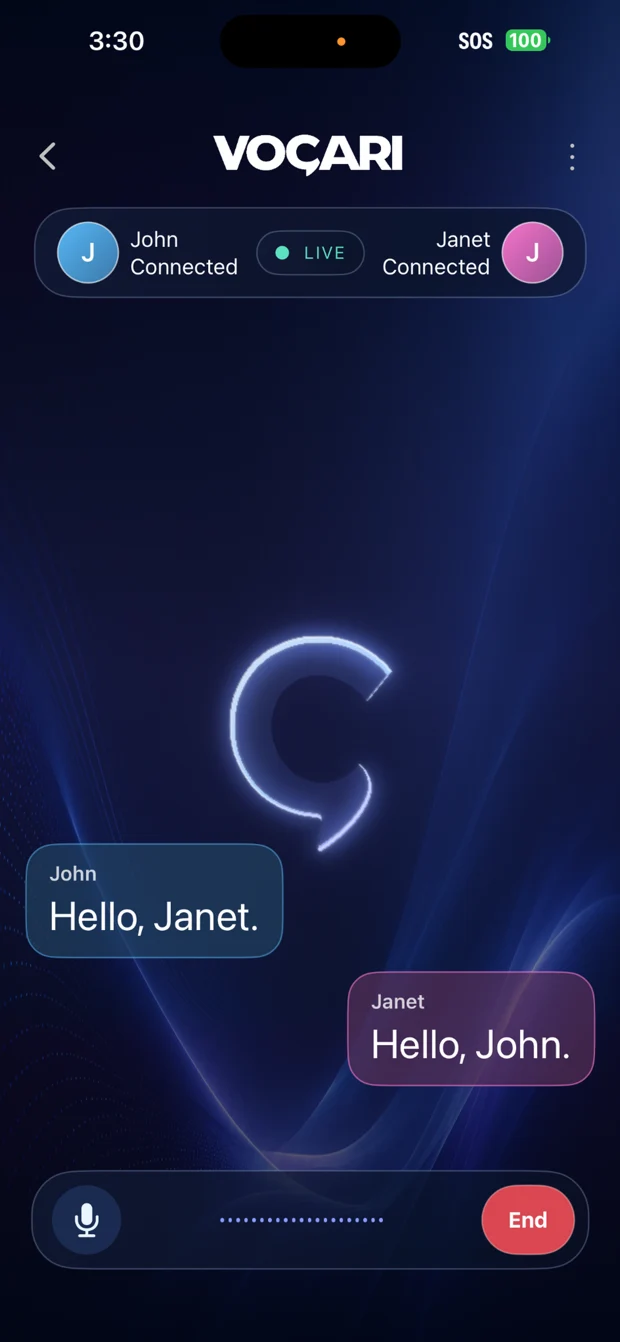
iPhone app · Awaiting Apple review
Each person needs Vocari, a compatible phone, and a compatible Bluetooth or wired headset with microphone input and playback.
Pair a compatible Bluetooth headset or connect a compatible wired headset to each phone. Turn on Wi-Fi and Bluetooth, open Vocari, and allow the permissions it needs.
One person taps Host → Show QR Code. The other chooses Join → Scan QR Code. You can also use a Join Code.
Once connected, both people can speak and listen through their headsets. Keep the phones nearby and end the session when you’re finished.
First time here? Start with a quick microphone and playback check.
Read the setup guideVocari supports Android–Android, Android–iPhone and iPhone–iPhone conversations. The phones connect directly—no Wi-Fi router required, whether or not it has internet access. Each headset connects to its phone through a compatible Bluetooth or wired personal-audio route.
Android is available on Google Play. The completed iPhone app has been submitted to the App Store and is awaiting Apple review. Both versions support the same nearby, two-person conversation.
Check what you’ll needFor two people. Device and headset compatibility varies.
For everyday situations where you’re near each other, but talking takes more effort.
Talk with a walking partner without constantly turning around. Choose a headset and setting that let you stay aware of your surroundings.
Coordinate with one nearby coworker during a noncritical task, with a microphone close to your voice and listening kept in your headset.
Stay connected with a companion in a busy venue. Try your headsets in the actual environment—call quality varies with noise and fit.
Vocari is not for emergency or safety-critical communication. Follow workplace rules and choose appropriate hearing protection where required.
Open-ear, in-ear, boom microphone, or hearing protection? Explore candidates by how you’ll use them, with clear features and honest testing status.
Explore earbuds & headsetsBring two compatible phones and Bluetooth or wired headsets with microphone input and playback. Android to Android, iPhone to iPhone, or one of each. No router. No internet required for your conversation.
From pairing your earbuds to checking both audio directions: a practical first-session checklist.
Read the guideWhy the microphone, Bluetooth call path, listening ANC and hearing protection deserve separate checks.
Read the guideThree ways to try a hands-free conversation with one nearby person, with sensible limits for each setting.
Read the guide